

Disclosure: some links in this article may be partner links. If you buy through them, we may earn a commission at no extra cost to you. It does not change what we write.
The best Gamma alternatives for most independent creators are Canva, if you want full design control and one tool for slides, thumbnails and social posts, and Beautiful.ai, if you want slides that format themselves into clean layouts. Gamma itself remains the fastest way to turn a prompt or an outline into a first draft deck, and its Free plan and $9-a-month Plus plan (billed annually) make it the cheapest of the three to start.
This comparison is written for creators who present: webinar hosts, course builders, podcasters pitching sponsors and freelancers sending proposals. We compare how each tool builds a deck, what the free options really include, what you pay as of November 2026, export to PowerPoint, and a one-week test you can run with your own next presentation.
How we compared: based on the official pricing pages of Gamma, Canva and Beautiful.ai and Gamma's help center articles on credits and plan differences, checked November 13, 2026 (US dollar prices shown to US visitors). We have not run paid account tests of these tools. Prices can vary by country and change, so confirm on each pricing page.
Gamma alternatives: the quick answer
| If you mainly need… | Pick | Why |
|---|---|---|
| A first draft deck from a prompt, notes or a PDF in minutes | Gamma | Built around AI generation, outline first, with free export to PPTX and Google Slides |
| Slides that match your thumbnails, social posts and course graphics | Canva | One editor for presentations and every other design type, with a large template and stock library |
| Polished business-style slides without nudging boxes | Beautiful.ai | Smart Slide layouts that rearrange themselves as you add content |
| A free tool you can keep using | Gamma or Canva | Both have a free plan; Beautiful.ai offers a trial instead |
None of these is a strict replacement for PowerPoint or Keynote when you need precise animation timing or offline editing of complex files. All three can export to PowerPoint in some form, covered below.
How Gamma works and why people look for alternatives
Gamma generates presentations, documents, websites and social visuals from a prompt, pasted notes or an imported PDF or PowerPoint file. You approve an outline first, then Gamma produces cards with layout, images and text, and you refine by chatting or editing directly. It can export to PDF, PPTX, PNG and Google Slides on every plan, including Free.
AI work in Gamma runs on credits. The pricing FAQ says the number of credits an action uses depends on what you are doing, which model is used and the size of the generation. Gamma’s help center adds that credits are metered per slide and per image, manual edits are free, and failed actions do not use credits.
The reasons creators search for Gamma alternatives usually fall into three groups:
- Design control. Gamma’s card format is fast but opinionated. Creators who want exact brand layouts or pixel-level control often prefer a canvas editor.
- One tool for everything visual. If you already design thumbnails and social posts in Canva, a separate slide tool is one more subscription.
- Credit limits on Free. Gamma’s 400 free credits arrive once at signup and do not refill, so heavy free use runs out.
Is Gamma AI free? What each free option really includes
| Tool | Free option (November 2026) | Main limits |
|---|---|---|
| Gamma | Free plan, $0, no credit card | 400 credits at signup that do not refill; up to 10 slides per prompt; Gamma branding stays on |
| Canva | Free plan, US$0 | 1.6M+ templates and 4.7M+ stock items (Pro has more); 1 Brand Kit with 3 colors; 5GB storage; limited access to Standard and Premium AI |
| Beautiful.ai | 14-day free trial of Pro or Team | No free plan listed; the trial requires a credit card and is charged in full if you do not cancel before it ends |
So, is Gamma AI free? Yes, in the sense that the Free plan has no time limit and exports to PDF and PPTX. But the AI part is capped by the one-time 400 credits. Gamma’s help center says Free accounts can earn 200 credits per referral and can hold up to 2,000 credits. Once credits are gone you can still edit by hand.
For a free Gamma alternative, Canva Free is the realistic option: no time limit and a full editor, with limited AI. Beautiful.ai is not a free alternative; set a calendar reminder if you start its trial.
Gamma vs Canva vs Beautiful.ai pricing
Prices below are from each official pricing page as shown to US visitors, as of November 2026. Monthly-billing prices are listed only where the page shows them.
| Tool and plan | Price | What you get for presentations |
|---|---|---|
| Gamma Plus | $9/month billed annually ($108/year) | 1,500 credits a month, up to 100 slides per prompt, remove Gamma branding, advanced image models |
| Gamma Pro | $18/month billed annually ($216/year) | 4,000 credits a month, premium image models, custom branding, detailed analytics, up to 10 custom domains |
| Gamma Ultra | $90/month billed annually ($1,080/year) | 20,000 credits a month, most advanced text, image and video models, up to 100 custom domains |
| Canva Pro | US$144/year for one person | 3.6M+ templates including premium, 141M+ stock items, 5 Brand Kits, 10x the AI allowance of Free, 100GB storage |
| Canva Business | US$250/year per person | Team collaboration and admin, 100 Brand Kits with approvals, 20x the AI allowance of Free, 500GB storage |
| Beautiful.ai Pro | $14.50/month billed annually; $45 billed monthly | Unlimited AI content generation, 300+ Smart Slide layouts, custom branding, PowerPoint import and editable PowerPoint export, viewer analytics |
| Beautiful.ai Team | $40/month billed annually; $50 billed monthly (see note) | Real-time collaboration, shared slide and asset libraries, branded themes, engagement analytics |
Notes that change the real cost
- Gamma says annual billing saves up to 28% compared with monthly; the monthly figures were not shown in our check, so see the Gamma pricing page. On Plus, Pro and Ultra you are charged per additional seat when a member accepts an invitation. Unused credits roll over up to 2x the monthly amount. A Business plan (10,000 credits per seat per month) is also listed; check the page for its price. Taxes may apply.
- Canva shows yearly prices and says yearly billing saves from 16%. Canva Pro is for one person only. Prices exclude tax. AI allowance during a trial is the same as Free. See the Canva pricing page.
- Beautiful.ai lists the Team plan both as “$40 per user per month” for 2 to 20 seats in its FAQ and as a price that “includes 3 users” on the plan card. Confirm which applies at checkout. Its $45 monthly Pro option is pitched for one-off projects. See the Beautiful.ai pricing page.
Cost for a solo creator over a year
Gamma Plus on annual billing: $108. Canva Pro: US$144. Beautiful.ai Pro on annual billing: $14.50 x 12 = $174. If you only make one deck a quarter, Gamma Free or Canva Free may be enough; if you present weekly, the paid plan of the tool you open most is the one worth paying for.
Gamma vs Canva for creators
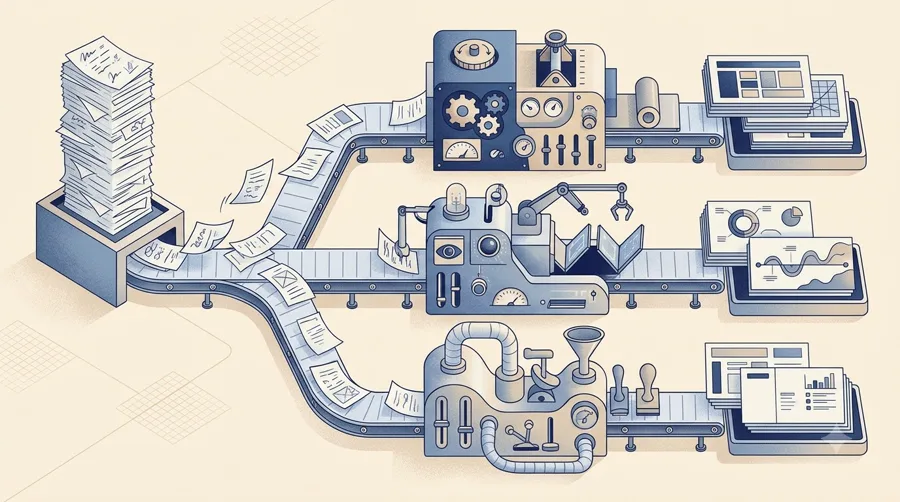
Gamma vs Canva is the comparison creators search most. The two tools start from opposite ends.
- Gamma starts with text. You give it a topic, an outline, a blog post or a transcript, and it builds the structure and layout. Good for turning a podcast episode or a long post into a webinar deck quickly.
- Canva starts with a design. You pick a template or ask Canva AI to generate a design, then edit any element on a free canvas. Good when the slides must match your channel art, course workbook or sponsor kit.
Canva’s advantage for creators is reuse: the same Brand Kit, fonts and photos power slides, YouTube thumbnails, Instagram posts and printables. Canva Pro also includes social content scheduling. Gamma’s advantage is speed from words to a structured deck, plus the option to publish the same content as a web page with analytics (Pro) and a custom domain.
A practical split many creators use: draft structure in Gamma, then rebuild the final version in Canva if it must be on-brand. Gamma exports PPTX, but we did not verify how Canva handles imported PowerPoint files, so test that handoff with one real deck before relying on it, or simply rebuild the final slides in Canva from Gamma’s outline.
Gamma AI vs Beautiful.ai
Both promise less formatting work, but in different ways.
- Gamma uses generative AI to write and lay out the whole deck from a prompt. Its free and paid plans cap AI through credits.
- Beautiful.ai lists unlimited AI content generation on Pro, but its core idea is Smart Slides: more than 300 layouts that keep text, charts and images aligned automatically as you edit. You can switch to Classic Slides when you want freedom.
Beautiful.ai lists editable PowerPoint export, PDF export, PowerPoint import, viewer analytics, audio narration and offline playback, which suits creators who send sponsor or client decks in a corporate format. It has no free plan, its trial needs a card, and its refund policy is narrow: annual plans may get a partial refund within 24 hours of purchase or renewal, and monthly plans are non-refundable. Gamma’s help center says refunds are available only within the first 3 days of subscribing.
Choose Beautiful.ai if your decks look like business reports (data, timelines, comparisons) and you value consistency over speed of first draft. Choose Gamma if you want the AI to do the first 80% of the writing and structure.
Gamma alternative to PowerPoint: exports and file handoff
Many creators still deliver decks to sponsors, event organizers or course platforms as PowerPoint or PDF. How each tool handles that:
- Gamma: exports to PDF, PPTX and PNG on every plan, and to Google Slides via PPTX upload. Its help center notes that tables export as editable tables, rounded table corners export square, and exports match present mode. Gamma can also import PDF and PPTX files.
- Canva: exports designs as PDF, JPG and PNG on all plans and offers multiple presentation modes. Its pricing comparison does not single out PowerPoint export, so test a PPTX download with your own deck before promising an editable file to a client.
- Beautiful.ai: lists PowerPoint import, PDF export and editable PowerPoint export.
If an organizer requires an editable PowerPoint, export a test file from your chosen tool, open it in PowerPoint, and check fonts, images and text boxes before the deadline week.
One-week test: same deck in each tool
The fairest comparison is one real presentation built three times. Use your next webinar, course module or sponsor pitch. Our one-week evaluation plan has a general version of this method.
Day 1: write the brief once. Topic, audience, 8 to 12 slide titles, three must-have data points, and your brand colors.
Day 2: Gamma Free. Generate from the brief, then edit to “ready to present.” Note the time spent, credits used, and what you had to fix.
Day 3: Canva Free (or Pro trial). Build from a presentation template or Canva AI. Note time and whether it matched your thumbnails and channel style.
Day 4: Beautiful.ai trial, only if business-style decks matter. Set a reminder to cancel before day 14, since the trial needs a card.
Day 5: export test. Export each version to PDF and PowerPoint and open both files.
Days 6 and 7: decide. Pick the tool with the lowest editing time for a result you would show a sponsor. Pay for only one presentation tool; check our creator AI budget guide before adding another subscription.
Verdict
Gamma is still the fastest and cheapest way to go from words to a draft deck, starting free or at $9 a month on annual billing. Canva is the stronger Gamma alternative for creators who need one design tool for everything, and Beautiful.ai suits polished business decks if you accept a trial that requires a card.
Best for
- Gamma: creators who turn posts, transcripts or notes into decks and web pages quickly
- Canva: creators who want slides to match thumbnails, social posts and course graphics in one tool
- Beautiful.ai: creators who send business-style sponsor or client decks and want auto-formatted layouts
Look elsewhere if
- Gamma: people who need full pixel-level design control or heavy free AI use
- Canva: people who want the AI to write and structure the whole deck for them
- Beautiful.ai: anyone who needs a free plan or a no-card trial
Frequently asked questions
Is Gamma AI free?
Yes, Gamma has a Free plan with no credit card. It includes 400 AI credits at signup that do not refill, up to 10 slides per prompt, and export to PDF, PPTX, PNG and Google Slides. Gamma branding stays on until you upgrade.
What is the best free Gamma alternative?
Canva Free is the most practical free alternative: it has no time limit and a full design editor, with limited AI access. Beautiful.ai offers only a 14-day trial that requires a credit card.
Gamma vs Canva: which is better for presentations?
Gamma is faster for turning text into a structured draft deck. Canva is better when slides must match your other brand designs and you want full control of every element. Many creators draft in Gamma and finish in Canva.
Gamma AI vs Beautiful.ai: what is the difference?
Gamma generates the whole deck from a prompt and limits AI by credits. Beautiful.ai lists unlimited AI content generation on Pro and focuses on Smart Slide layouts that format automatically, but it has no free plan.
Can Gamma replace PowerPoint?
For many creator decks, yes: Gamma exports to PPTX and PDF on every plan and imports PowerPoint files. For complex animation or strict corporate templates, test an export in PowerPoint before relying on it.
How much does Gamma cost?
As of November 2026 for US visitors: Free $0; Plus $9 per month billed annually ($108 per year); Pro $18 per month billed annually ($216); Ultra $90 per month billed annually ($1,080). Annual billing saves up to 28% compared with monthly.
Related reading
- A Buyer’s Checklist for Creator workflows AI Tools
- A One-Week Evaluation Plan for Creator workflows AI Software
- How to Budget for an AI Stack for Independent creators building a consistent publishing routine
- Castmagic Review for long-form-to-social package
- Before You Upload: Data Checks for Creator workflows AI Workflows